Add Background Image in Your Pendrive !!!
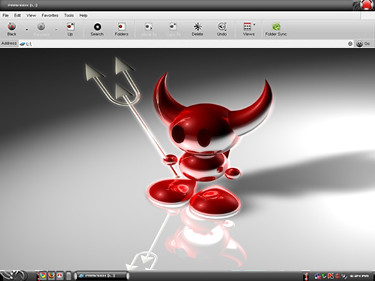
 We all might have set background images for the Local drives in Windows Xp.But you might not have set background picture for your pendrive.It’s a very simple hack so give it a try after reading this Post,
All you need to do is, just Copy & Paste the below code to notepad,then save it as “desktop.ini”
[.ShellClassInfo]
IconFile=%SystemRoot%\system32\SHELL32.dll
IconIndex=127
ConfirmFileOp=0
[{BE098140-A513-11D0-A3A4-00C04FD706EC}]
Attributes=1
IconArea_Image=”YourPictureName.jpg”
IconArea_Text=”0xFFFFFF”
VeBRA sources – don’t delete the tag above, it’s there for XXXXX purposes -
[ExtShellFolderViews]
{BE098140-A513-11D0-A3A4-00C04FD706EC}={BE098140-A513-11D0-A3A4-00C04FD706EC}
{5984FFE0-28D4-11CF-AE66-08002B2E1262}={5984FFE0-28D4-11CF-AE66-08002B2E1262}
[{5984FFE0-28D4-11CF-AE66-08002B2E1262}]
PersistMoniker=Folder.htt
PersistMonikerPreview=%WebDir%\folder.bmp
Some Information On Above Code:)
Where “YourPictureName.jpg” is, delete that and replace with your picture name, for example: “FreeBSD.bmp”
Note:
Please check that Picture format (.jpg , .bmp, .gif) properly else this hack won’t work.
** If your Picture is white colour then folder names will not be clear so change the IconArea_Text=”0xFFFFFF” to IconArea_Text=”0x000000”
** Save the notepad as “desktop.ini”.
** Place both your notepad file (i.e) desktop.ini and your picture in Pendrive.
** Set the above files attributes as Hidden.
** Refresh(F5) and Enjoy with your new background.
** You can also this on your windows Xp Local drives(C,D,E,F…).
Comments